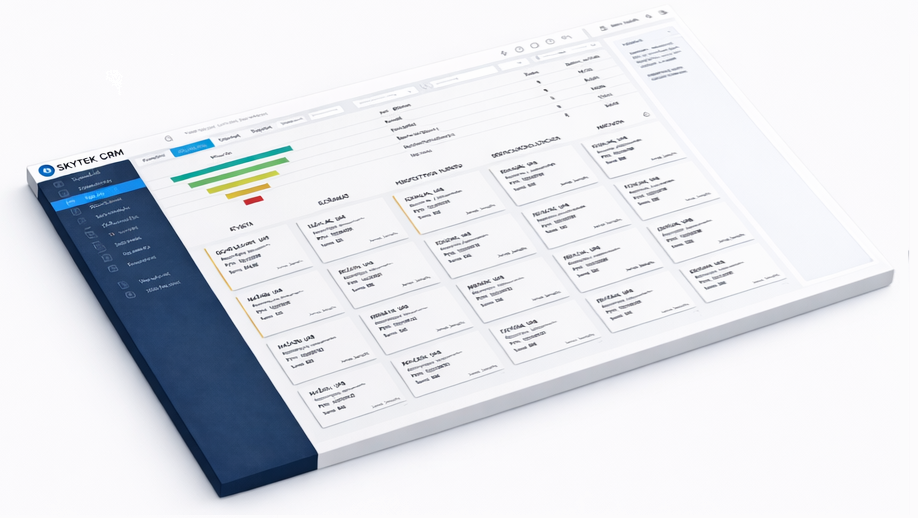
Client cards with full history
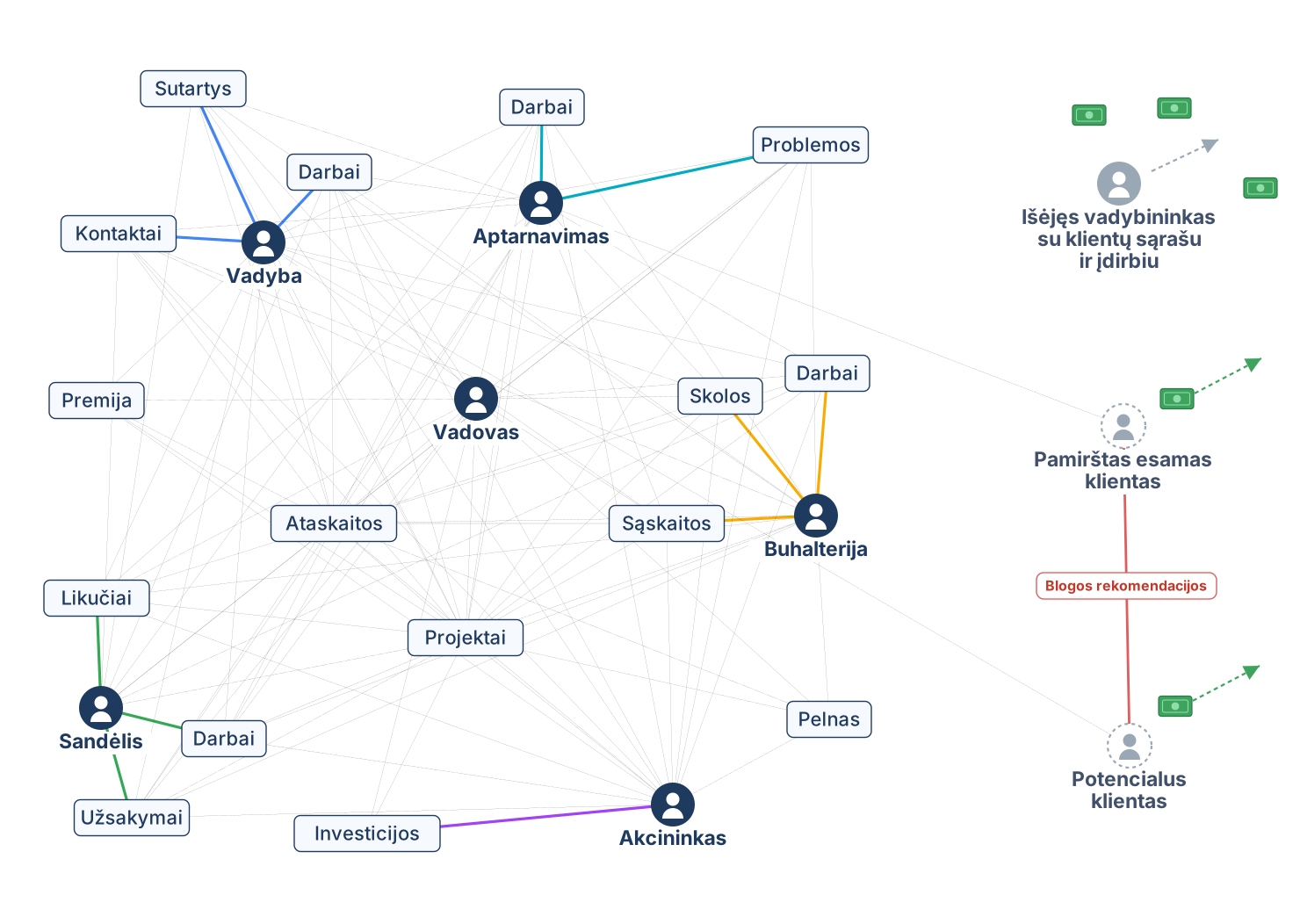
The full client history in one place, visible to the whole team, and the data stays in the company even after an employee leaves.
The full client history in one place, visible to the whole team, and the data stays in the company even after an employee leaves.
Planned and delegated work with reminders — no task is forgotten.
You see every deal’s stage — you can forecast revenue, and hot deals no longer drop out.
Deadlines and reminders before every task — you will not miss a follow-up or a contract renewal.
Word/Excel templates fill with CRM data — a document in seconds, without pricing mistakes.
Find any document instantly — no hunting through folders and email.
Gmail/Outlook messages are assigned to the client automatically — the full correspondence history at hand.
Thousands of emails straight from the CRM with segmentation — the cheapest way to sell more.
Invoices, revenue and debtors in one place — a financial picture without double work.
Quotes with real stock data — accurate, without promises you cannot keep.
Tasks on the phone with no install, synced with the calendar — you work from anywhere.
Company news in one system — everyone is informed, without lost email threads.
Every field is a report slice, up to 10 at once — decisions from data, not gut feel.
Projects with deadlines and owners — progress is visible in real time, work does not stall.
Issues are logged, delegated and tracked — you see who did what and when.
Rights down to a single field — each person sees only what they need, data stays safe.
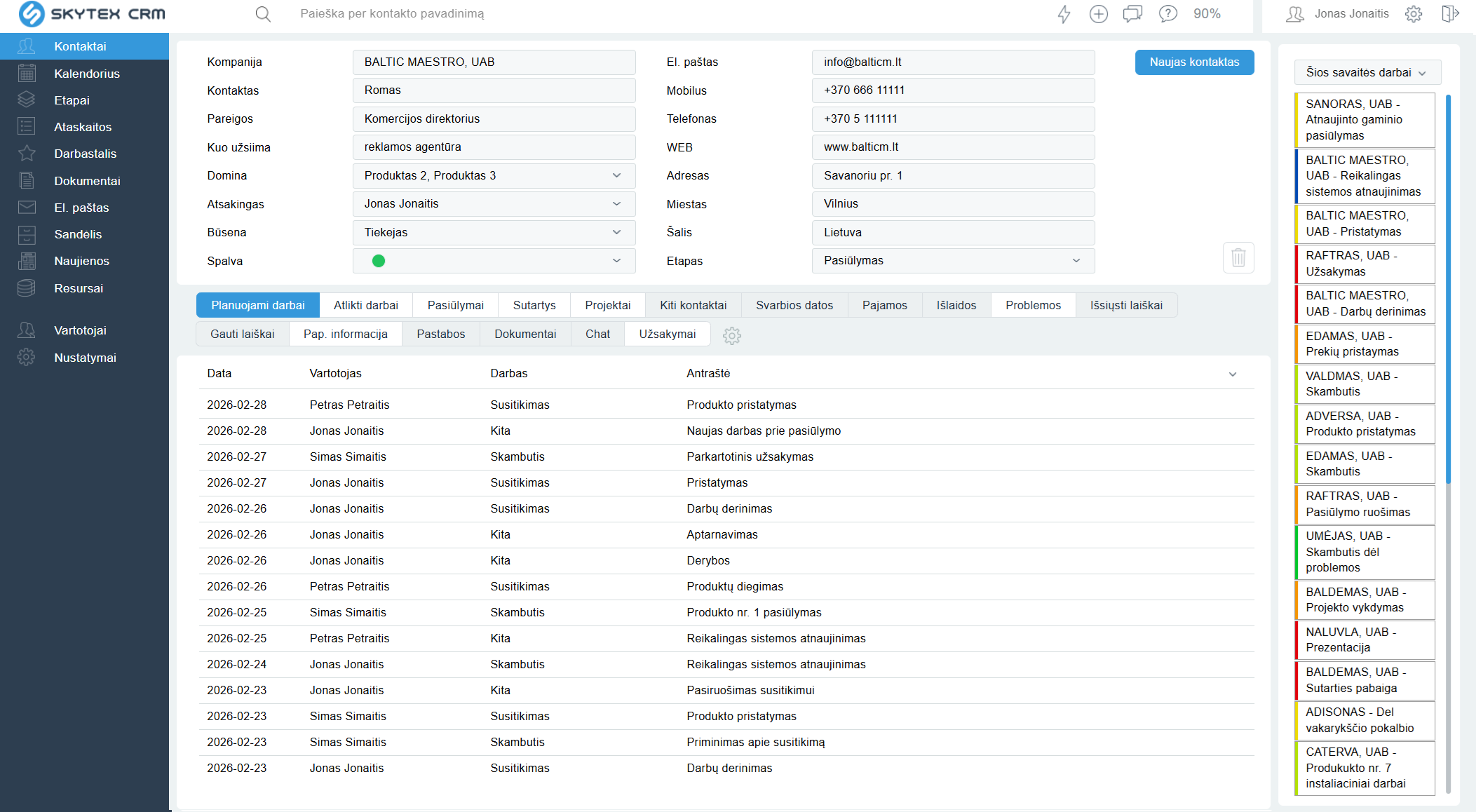
Contacts, planned work, emails, quotes, contracts and documents — on one card. Any team member sees the full history immediately, and the data stays in the company even after an employee leaves.
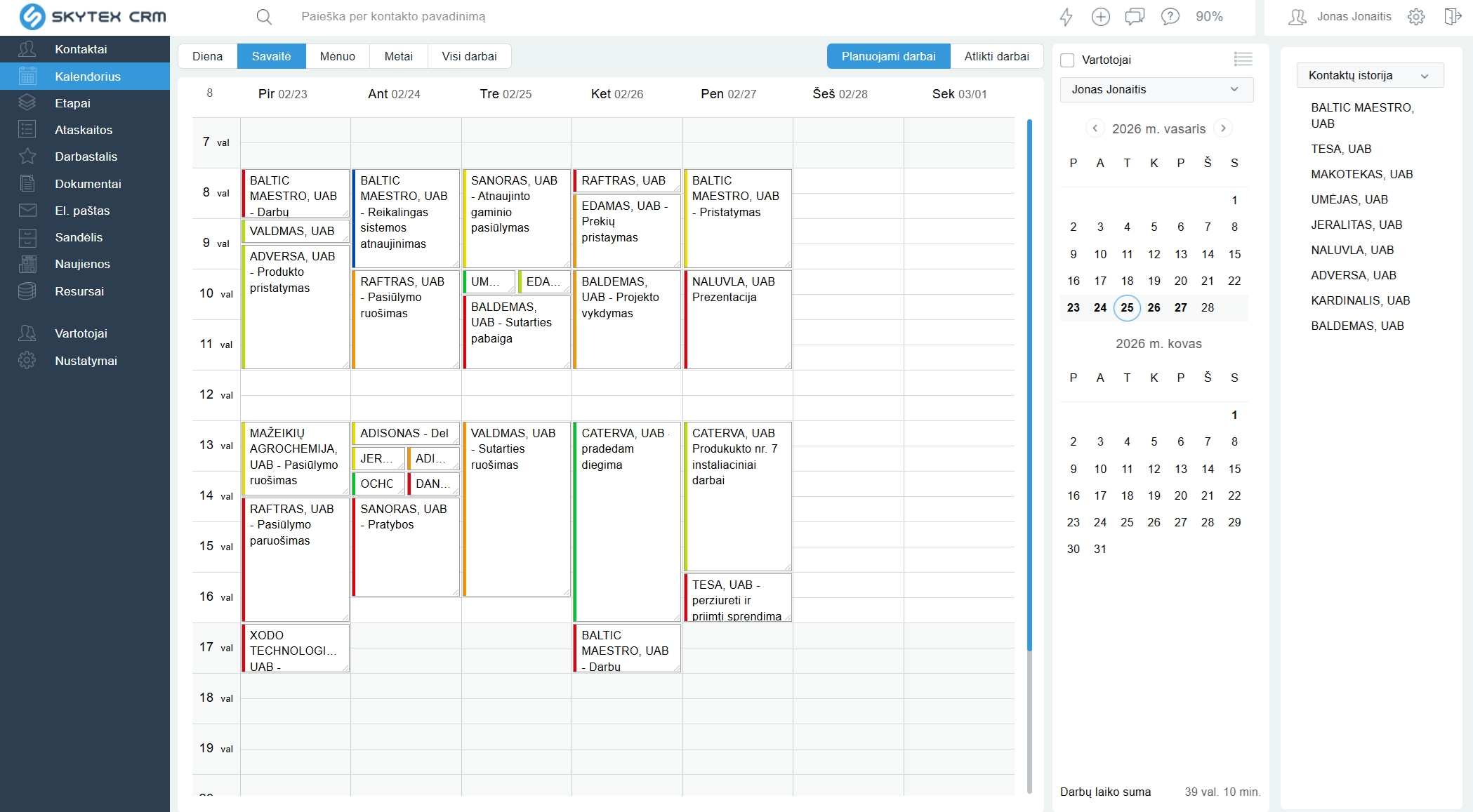
Plan calls, meetings and tasks. Delegate to colleagues, get reminders — no task is forgotten, and you see the whole week in one view.
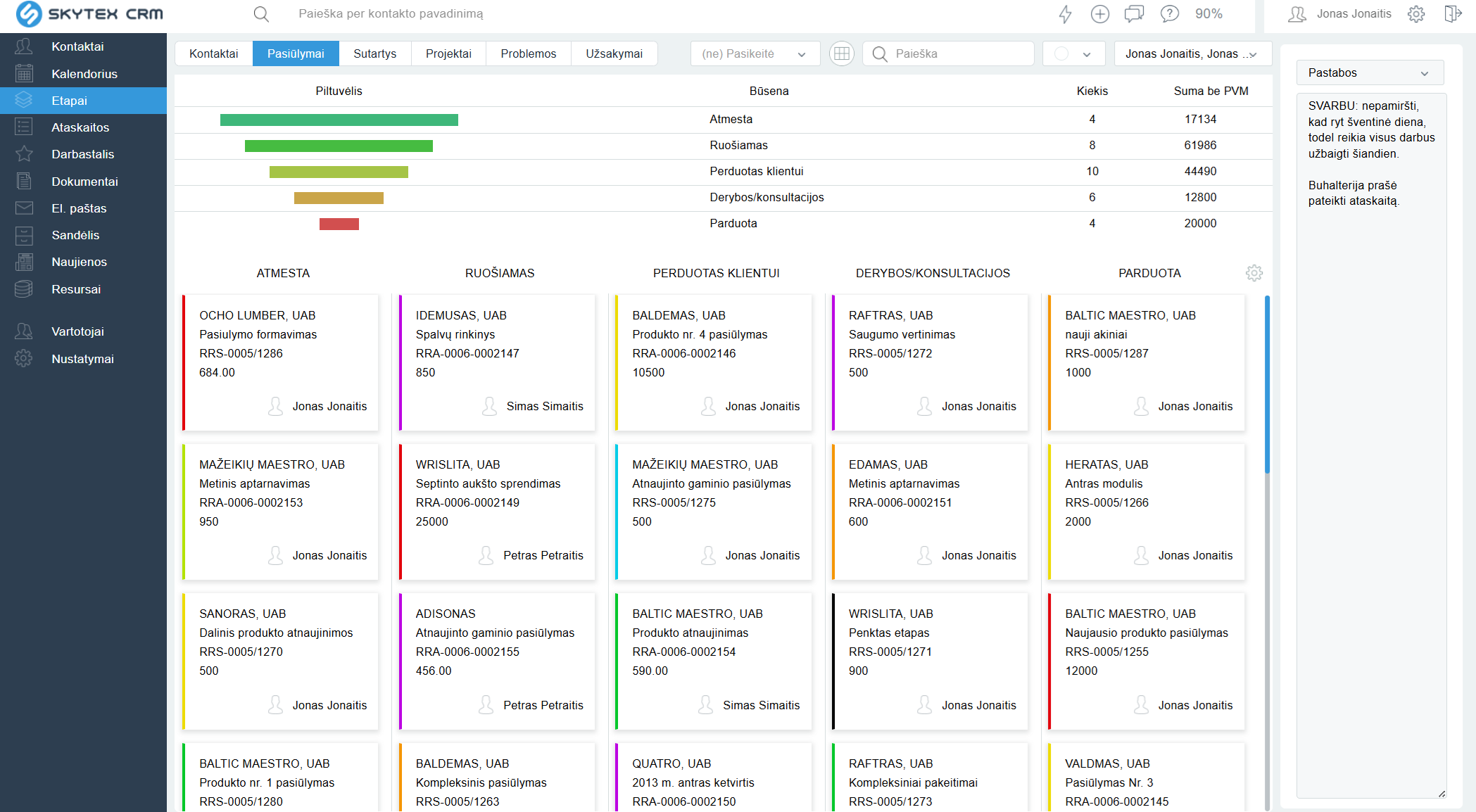
See which stage each quote or deal is in — from first contact to contract. Hot deals no longer drop out, and the manager gets a real forecast.
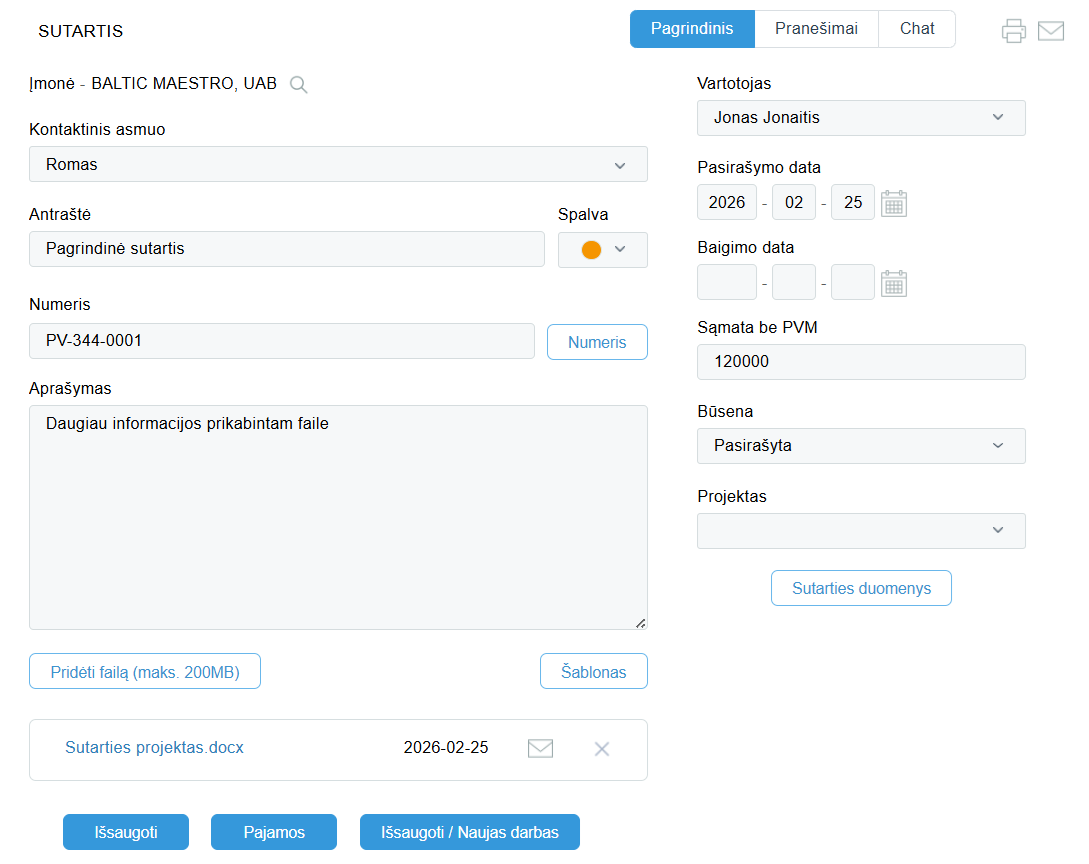
Word / Excel templates fill with CRM data automatically — the document is ready in seconds, without pricing mistakes. Full document history is stored with the client.
Fill in the registration form and within a few minutes you get access to your CRM environment — with demo data or an empty database.
Our specialist will contact you the same or next day: help you see how the system fits your work, and adapt fields and settings. Training takes 2 hours.
Use only the functions you need today. Over time you can add more — the system grows with you.
We are very happy with our choice! We are very satisfied with the Skytex staff when resolving issues or when we want to improve and update the software.
Thank you to the Skytex team for helping us clarify our own need and for sharing years of experience so we could work in our company as efficiently as possible and without stress.
After starting with SKYTEX CRM we no longer understand how we worked before. At last we can see information flows, delegate work and control issues that come up with clients.
excl. VAT
Nothing to install — Skytex CRM runs in the cloud and you sign in through the browser. You get access within a few minutes after registration, and full work starts in 1–3 days: a specialist will contact you the same or next day, adapt the fields and help you get going.
Yes. Skytex CRM supports import and export — we help you move clients, contacts and history. Your data always stays yours: you can download all information at any time.
The price excl. VAT includes: hosting on Skytex servers (server rental), 10 GB of space for contracts, 2 hours of free training, the latest version of the software, and advice by phone and email. All CRM functions — one plan, no hidden fees. The contract is monthly — no long-term lock-in.
Yes. Gmail and Outlook messages sync and are assigned to the client automatically, and planned work is visible in the phone calendar. Exact email setup depends on your email configuration — we will assess the options during the demo.
Yes. The system works in the browser from any device — nothing to install. Tasks sync with the calendar, so plans are always at hand on the phone too.
Yes, because the system does not force you to fill in everything at once. Start with a contact and a task — you feel the value on day one, and add other functions later. To start you also get 2 hours of free training.
The opposite — it removes double work. You do everything in one system: messages are assigned to the client automatically, quotes and contracts fill from templates in seconds, reports are built from data you already entered.
Within a few minutes you get access to your CRM environment. Our specialist will contact you the same or next day: show how the system would work for your business, adapt settings and schedule training. No commitment — the trial is free.
The contract is monthly — no long-term lock-in. The data is yours: you export it at any time and download the full information about clients, work and documents.
Free DEMO — 14-day trial. No credit card, no commitment. Our specialist will help you start.
Your message has been sent. We'll get back to you shortly.